




Introduction
Youtube Android Auto: After years of user demand, Google has finally introduced YouTube support in Android Auto. At first glance, this sounds like a game-changing update for in-car entertainment. But once you dig deeper, you’ll realize there’s a significant limitation that changes everything.
The new YouTube Android Auto experience is real — just not in the way most users expected.
YouTube Arrives on Android Auto
The integration of YouTube into Android Auto marks an important milestone. Until now, users had to rely on their smartphones or unofficial methods to control YouTube while driving.
With this update, YouTube is now accessible directly from your car’s infotainment system. It appears alongside other media apps, allowing users to control playback more conveniently without touching their phones.
This move reflects Google’s broader vision of making Android Auto a more complete in-car ecosystem.
The Catch: No Video Playback
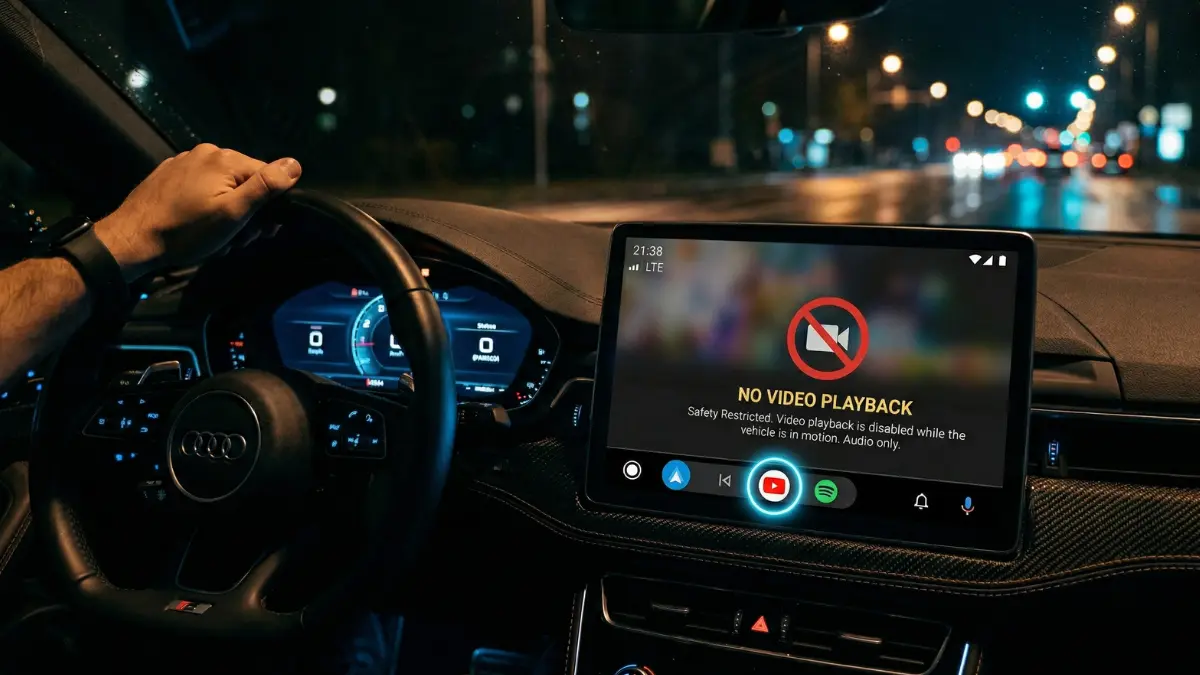
Here’s the part that may disappoint many users — you cannot watch videos on Android Auto.
Despite YouTube being available, the platform only supports audio playback. That means:
- No video streaming on the car display
- No visual content or thumbnails
- No scrolling through videos on-screen
Essentially, YouTube behaves like a background audio app, similar to music or podcast services.
What You Can Actually Do
Even with limitations, the update still brings some practical features that improve usability:
- Play YouTube content in audio mode
- Pause and resume playback
- Skip between videos
- Control playback using steering wheel buttons
- View basic media controls on the screen
This makes it easier to listen to long-form content like podcasts, interviews, or educational videos while driving.
Also Read: Weekly Auto News Roundup: Big Shifts in India’s Car Market
Why Google Limited the Experience
The decision to block video playback is not random — it’s intentional.
Google has designed Android Auto with a strong focus on driver safety. Allowing video content on the main screen while driving could lead to dangerous distractions.
By restricting YouTube to audio-only functionality, Google ensures that drivers stay focused on the road while still enjoying content in a safer format.
Do You Need YouTube Premium?
In many cases, yes.
To fully use the YouTube Android Auto feature without interruptions, users may need a YouTube Premium subscription. This is because background playback — which is essential for this feature — is typically limited for free users.
Premium users benefit from:
- Seamless audio playback
- No ads interrupting listening
- Better multitasking experience
Is Full Video Support Coming in the Future?
There are strong indications that this is just the beginning.
Reports suggest that Google is working on expanded video app support for Android Auto. However, if video playback is introduced, it will likely come with restrictions such as:
- Only working when the car is parked
- Limited app compatibility
- Enhanced safety checks
This approach would balance entertainment with safety regulations.
Pros and Cons of YouTube Android Auto
✔️ Pros
- Easier access to YouTube content while driving
- Hands-free control via car interface
- Great for podcasts and long audio content
❌ Cons
- No video playback at all
- Limited app controls
- May require YouTube Premium
Final Verdict
The YouTube Android Auto update is a step in the right direction — but it’s not the full experience users were hoping for.
Instead of transforming your car into a streaming hub, Google has delivered a safe, audio-focused solution. While it may feel limited, it still adds real convenience for users who consume YouTube content on the go.
Conclusion
The arrival of YouTube on Android Auto shows clear progress, but also highlights Google’s cautious approach. For now, it’s best viewed as an audio companion rather than a video platform.
As Android Auto continues to evolve, there’s a strong chance we’ll see more advanced features in the future — possibly even video playback under safe conditions.
Until then, the current update serves as a useful, if somewhat restricted, upgrade for everyday drivers.