
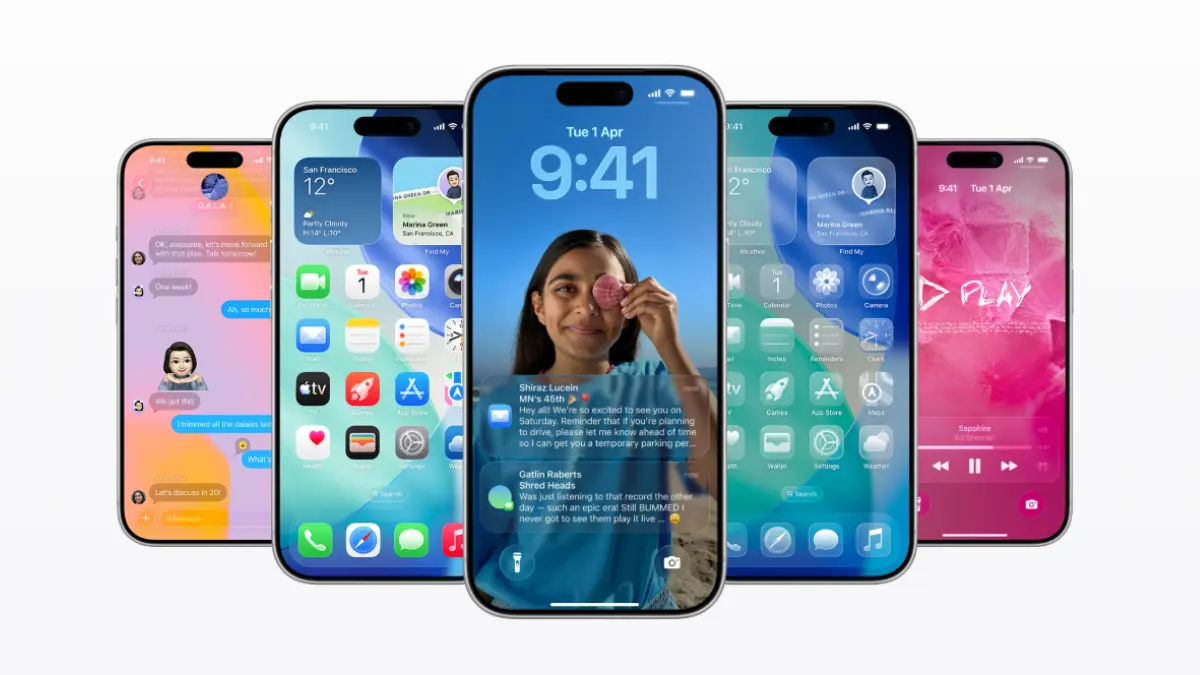
iPhone iOS 26: When Apple drops its massive annual iOS updates every autumn, the tech world loses its mind over the flashy redesigns and big-ticket features. But if you’ve been in the Apple ecosystem long enough, you know the real magic happens in the quiet, unprompted software patches that roll out later in the year.
Apple recently pushed iOS 26.3 and iOS 26.4 to devices worldwide. On paper, the release notes mentioned standard “bug fixes and stability improvements.” Under the hood, however, it’s a completely different story. Apple has quietly snuck in a dozen incredibly useful quality-of-life upgrades that fundamentally change how you use your phone daily.
From letting third-party AI take a seat in your car to tracking down songs completely offline, here is a breakdown of the best hidden features you should start using right now.
Artificial Intelligence Moves Into CarPlay
For years, Siri has had a strict monopoly on your vehicle’s dashboard. That era is officially over. With iOS 26.4, Apple is finally allowing third-party AI models like Anthropic’s Claude and OpenAI’s ChatGPT to integrate directly into the CarPlay interface.
There is a safety catch: the experience is strictly voice-only. You won’t be reading long blocks of text on your dashboard screen, nor can these external assistants fiddle with your car’s physical AC knobs or climate control. However, if you want to brainstorm business ideas, draft emails on the fly, or have a deep intellectual conversation during a grueling morning commute, your car’s infotainment system just got a massive brain upgrade.
True Offline Music Recognition
We’ve all been there: you are in a basement club, a subway tunnel, or a remote hiking spot, and a fantastic song starts playing over the speakers. If you tried to use the Control Center’s Shazam music recognition button without a cellular signal in the past, it would simply throw an error and give up.
The latest update introduces a brilliant “cache and fetch” system. Now, when you tap the recognition button while offline, your iPhone captures a tiny, secure acoustic fingerprint of the song and saves it locally. The second your phone reconnects to a network, it quietly processes the audio in the background and sends you a notification telling you exactly what track you discovered.
Text-to-Playlist Hits Apple Music
If you are tired of spending hours meticulously curating music or relying on the same old repetitive algorithms, Apple Music’s new Playlist Playground feature is a game-changer.
This is a text-based, generative AI prompt box built straight into the music app. Instead of picking genres or artists manually, you can type natural, highly specific phrases like “indie rock songs from the late 90s that feel like a coming-of-age movie” or “mellow lo-fi beats for a rainy Sunday afternoon.” The system instantly analyzes the prompt against your listening history to spin up a completely personalized, highly accurate playlist in seconds.
A Serious Overhaul for Video Podcasts
While Apple Podcasts has technically supported video for a long time, the user experience always felt clunky compared to giants like YouTube or Spotify. The latest update completely rewrites the app’s video architecture.
You can now toggle back and forth between a pure audio stream and the full video feed instantly without the track pausing or buffering. Additionally, the app now supports high-definition video downloads for offline viewing on flights, along with refined variable playback speeds that keep the video perfectly synced with accelerated audio.
Reclaiming Privacy From Mobile Carriers
In a massive win for user privacy, iOS 26.3 introduces a dedicated toggle that allows you to limit how granularly your cellular network provider can track your physical location.
While mobile carriers naturally need basic cell tower telemetry to route your calls and text messages, this new feature actively blocks them from collecting precise, background location tracking data. Keep in mind that this relies on backend communication protocols, meaning the feature will roll out gradually depending on when individual network carriers update their systems.
Financial Autonomy in Family Sharing
Being the “Organizer” of an Apple Family Sharing group has historically been a financial headache. Up until now, any purchase made by a child, partner, or relative on the plan was automatically billed to the organizer’s primary credit card.
The new software finally untangles this mess. Adults who are part of a Family Sharing group can now link their own independent credit cards or payment methods for personal App Store apps, movie rentals, and media subscriptions, freeing the main account holder from accidental bills.
The “Urgent” Reminders Smart List
The built-in Reminders app has quietly evolved into one of the best productivity tools on the market. While you have always been able to prioritize tasks, the new update adds a dedicated, dynamic Urgent Smart List dashboard.
The app automatically pulls any high-priority task across all your separate work, grocery, and personal lists into one central view. Even better, they’ve added a floating toolbar and a long-press shortcut, allowing you to flag a task as critical in a split second without digging through menus.
Tracking Sleep Consistency, Not Just Hours
For the health and fitness crowd, the Apple Health app has received a subtle but vital algorithmic update under the Sleep section: Average Bedtime.
Most sleep trackers focus entirely on the duration—how many hours of shut-eye you got. However, sleep science shows that going to bed at the exact same time every night is just as critical for your circadian rhythm. If you wear an Apple Watch to bed, this new metric visualizes your sleep consistency over weeks and months, helping you build a healthier, more predictable routine.
Hyper-Local Live Music Discovery
Apple Music is leaning heavily into real-world experiences with its new Concerts Near You module.
By pulling data from global event discovery databases and cross-referencing it with your personal listening habits and GPS location, the app will actively alert you when your favorite artists—or smaller indie bands with a similar sound—are playing live gigs in your immediate city or neighborhood. It turns your music streaming app into a personal concert scout.
Better Organization for Aesthetic Customization
If you love customizing your iPhone’s aesthetic, changing your backdrop just got a lot less irritating. The Lock Screen and Home Screen wallpaper galleries have been redesigned to separate Weather and Astronomy into their own clean, dedicated folders. Instead of scrolling through an endless wall of generic color gradients, you can jump straight to the real-time, dynamic skies and planetary backdrops.
A Smoother Path to Android
In a surprising move, Apple is quietly making it easier for people to leave its walled garden. A subtle backend optimization in the data migration architecture allows the iPhone to package user data much more cleanly when transferring it over to an Android device. If you ever decide to switch sides, this update ensures fewer lost text messages, properly mapped contact fields, and significantly faster media transfers.
Fresh Digital Flair: The New Emojis
It wouldn’t be a proper iOS update without a few additions to our digital vocabulary. The system keyboard gets a fresh batch of icons to play with. The standout additions include a detailed trombone, a cryptid/Bigfoot silhouette, an old-school treasure chest, and a hilarious distorted face with bulging eyes—which will undoubtedly become the default reaction image for modern internet chaos.
The Verdict: Is It Worth Opening Settings For?
Absolutely. Often, major software updates (like the initial dot-zero versions) come with unpredictable battery drain and annoying software bugs as the system adjusts to new design changes.
Mid-cycle updates like iOS 26.3 and 26.4 are the exact opposite. They are highly stable, optimized versions of the operating system designed to smooth out performance while quietly delivering massive practical value to the apps you use every single day.
To grab these features right now, plug your iPhone into power, jump on Wi-Fi, and head over to Settings > General > Software Update.