


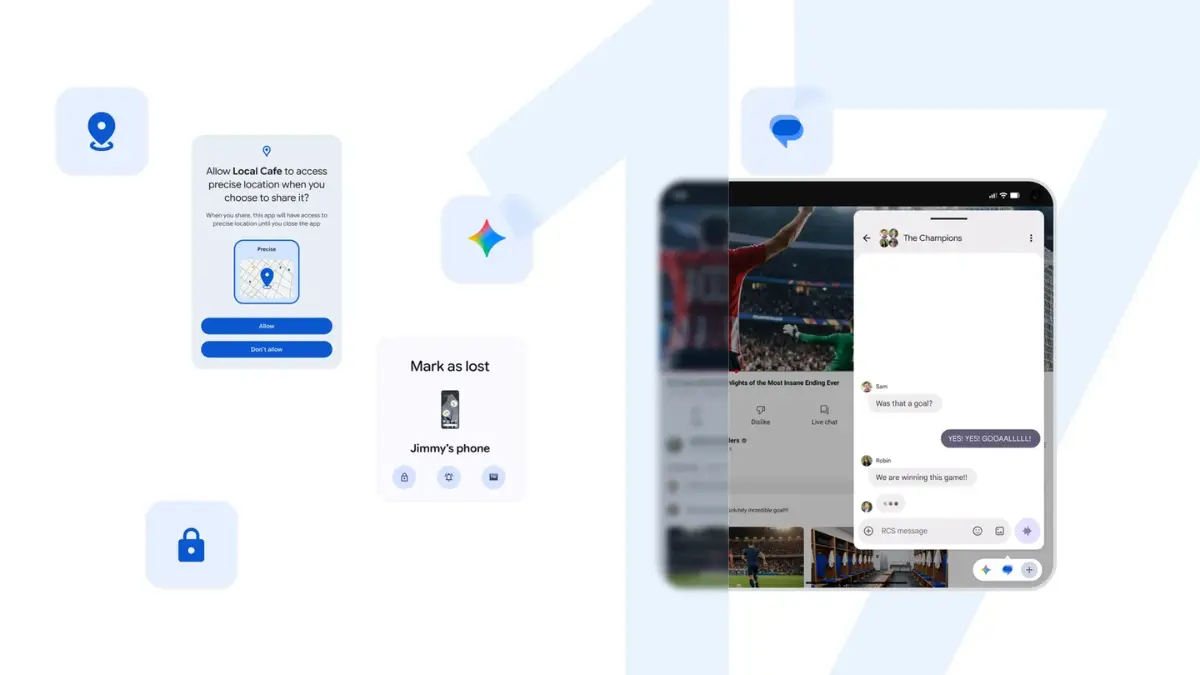


Google officially kicked off the rollout of Android 17 today, starting with its own lineup of Pixel devices. While the update brings a fresh look and some long-overdue multitasking upgrades right out of the box, the tech giant made one thing very clear: the highly anticipated, next-generation AI features that define this release won’t actually arrive until later this year.
Instead of just treating artificial intelligence like a fancy app you open when you’re bored, Google is fundamentally rebuilding Android 17 to transition from a standard operating system into what they call a proactive “intelligence system.”
Out Today: The Best Immediate Upgrades
If you own a modern Pixel phone, the update hitting your device today focuses heavily on security, content creation, and making multitasking less of a headache.
Turn Any App into a Floating Bubble
Multitasking on a phone has always felt clunky, but Android 17 borrows a great feature from old chat apps and applies it everywhere. You can now turn any application into a floating mini-window. By long-pressing an app icon on your home screen, you can collapse it into a draggable bubble that hovers over whatever else you’re doing. If you are on a tablet or a foldable, these bubbles neatly dock into a new bottom-row “Bubble Bar” so you can hop between tasks without losing your place.
Reaction Videos Made Simple
For content creators, educators, or anyone who just likes sharing their thoughts on a video, Android 17 introduces native Screen Reactions. You no longer need to download sketchy third-party editing apps or mess with virtual green screens. The phone can now record whatever is happening on your screen while simultaneously overlaying a small picture-in-picture video of your face using the front camera.
Ironclad Security Against Phone Thieves
Google has seriously beefed up its anti-theft measures. The updated “Mark as Lost” tool in the Find Hub now strictly demands biometric authentication—meaning a fingerprint or a face scan. Even if a thief manages to sneak a look at your lock screen PIN or passcode, they are completely locked out from changing your settings, accessing sensitive apps, or turning off the phone’s tracking. To make things harder for hackers, the system now enforces mandatory, increasing wait times if someone repeatedly types the wrong PIN.
Coming This Summer: The “Agentic AI” Era
The real reason tech enthusiasts are excited about Android 17 is Gemini Intelligence, a deeply embedded layer of AI scheduled to roll out in waves later this year. This moves far past standard chatbots that just answer questions; instead, these tools are designed to log into your apps and do actual work for you.
Here is a breakdown of the major AI features arriving over the coming months:
- Multi-Step App Automation: You will be able to give Gemini complex, cross-app instructions. For example, you can tell it to scan a college syllabus sitting in your Gmail, look up the required textbooks, and automatically add them to an online shopping cart.
- “Rambler” for Gboard: If you use voice-to-text, you know how annoying it is when your phone types out every “um,” “uh,” and “like.” This new smart dictation tool filters out human filler words in real time and smoothly fixes mid-sentence corrections so your texts look polished.
- Create My Widget: Instead of hunting through menus for the perfect home screen shortcut, you can just type a prompt. If you say, “Create a widget showing a 3-day meal prep schedule and today’s UV index,” Gemini will instantly build a custom, functional widget out of thin air.
- Auto-Browse in Chrome: For tedious online tasks, Chrome will be able to manage multi-step actions across tabs—like reading a flight confirmation email and automatically booking a parking spot at the corresponding airport.
Frosted Glass Aesthetics and Seamless Switching
Visually, the phone gets a sleek facelift called Material 3 Expressive. The main change here is a sophisticated “frosted glass” look. System menus, volume sliders, and notification shades are now translucent, letting your colorful wallpaper bleed through beautifully in the background.
And for anyone thinking about jumping ship from an iPhone, Google has worked directly with Apple to make the iOS-to-Android switch incredibly simple. When moving your data to a new Android 17 device, you can now wirelessly transfer passwords, photo libraries, message history, and even your eSIM profiles without the usual technical headaches.
When Will Your Phone Get It?
While Google Pixel users can download the base update immediately, owners of other major brands will have to wait a little longer. Companies like Samsung, Motorola, OnePlus, Xiaomi, and Oppo are currently optimizing their custom software interfaces. They are expected to begin rolling out their versions of Android 17—complete with the new Gemini Intelligence features—closer to the end of the year.