
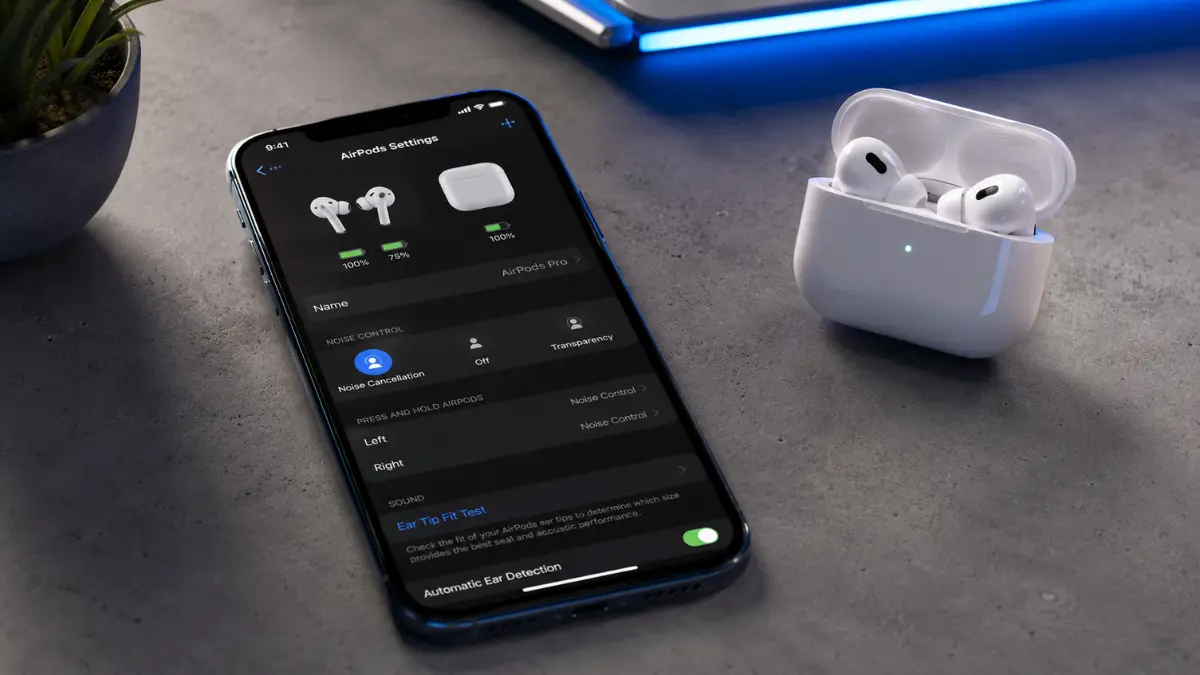
Revamped AirPods Settings: There is no denying that Apple AirPods are a triumph of modern engineering. Walk down any city street, step into any gym, or join any corporate video call, and you will see those iconic white stems sticking out of millions of ears. They offer rich audio, incredible noise cancellation, and a level of ecosystem integration that makes switching from an iPhone to an iPad feel like magic.
But as AirPods have evolved from simple wireless earbuds into sophisticated, all-day wearable computers, they have run into a massive roadblock: the user experience is breaking under its own weight. Between juggling Transparency modes, Adaptive Audio, Spatial tracking, and conversation awareness, managing a pair of AirPods has become an exercise in digital hide-and-seek. Fortunately, Apple has reportedly realized that their flagship audio gear has a frustration problem—and they are finally preparing to fix it.
Revamped AirPods Settings
According to a recent report by 9to5mac, Apple is planning a ground-up revamp of the AirPods settings UI in iOS 27 to make the interface significantly more functional, better organized, and more streamlined.
The iOS 27 Rescue Mission: What’s Changing?
According to a fresh report from Bloomberg’s Mark Gurman, Apple is planning a comprehensive overhaul of the AirPods management interface. The changes are slated to arrive alongside the rollout of iOS 27, alongside matching updates for macOS and iPadOS.
For a long time, power users have clamored for a standalone “AirPods App”—an independent hub on the iPhone similar to the dedicated Watch app used to manage the Apple Watch. Gurman’s sources indicate that Apple is explicitly avoiding this route. Instead of cluttering your home screen with another icon, Apple is keeping the controls baked directly into the operating system’s native settings, but they are giving the entire interface a radical, much-needed face-lift.
The core objective of this update? Clarity. The report notes that “major feature options” will be significantly better highlighted, replacing buried menus with an intuitive layout that reveals exactly what your earbuds are doing at any given second.
The Core Irritations Apple Needs to Solve
To understand why this software update is such a massive deal, you have to look at the current state of AirPods ownership. Right now, the user interface suffers from three glaring design flaws that have frustrated the community for years:
1. The “Wait and Pray” Firmware Mystery
When Apple releases a software update for your iPhone, you click “Install.” When they release one for your AirPods, you enter a realm of tech voodoo. Currently, to update AirPods firmware, you have to plug the charging case into power, place it near your iPhone, close the lid, and hope the update happens automatically while you sleep. There is no progress bar, no “Check for Updates” button, and zero user control. A streamlined settings menu could finally bring a manual update trigger.
2. The Ghost Battery Status
Checking how much juice is left in your left bud, right bud, and charging case is notoriously inconsistent. Sometimes the battery widget updates instantly; other times, it displays outdated percentages or refuses to recognize one of the earbuds entirely. Users need a reliable, real-time diagnostics panel.
3. Button Bloat on a Tiny Stem
As Apple added more features—like the ability to dynamically blend noise cancellation and ambient sound via Adaptive Audio—the physical squeeze controls on the AirPods’ stems became overwhelmed. Users frequently trigger the wrong mode by accident. The new interface aims to offer a clear, visual map to customize exactly what every squeeze, swipe, and tap does.
The Pressure from Outside: Why Apple Can No Longer Wait
Apple isn’t doing this out of the goodness of their heart; they are doing it because the competition is getting incredibly creative.
Just this month, rival audio brands like Soundcore introduced the Liberty 5 Pro Max, featuring an interactive, full-color display built directly into the charging case itself. This allows users to tweak equalizers, check battery health, and switch noise-canceling modes without ever unlocking their smartphones. Meanwhile, the rapid rise of smart glasses and AI-integrated open-ear headphones is threatening Apple’s dominance over our ears.
If AirPods are going to remain the ultimate ambient computing device, the software managing them needs to feel invisible and effortless, not tedious.
When Can You Get the Update?
If history is any indication, Apple will give us our first official look at the redesigned AirPods settings interface during their Worldwide Developers Conference (WWDC). A developer beta will launch shortly after, followed by a public beta over the summer.
The final, polished version of the software will drop into your iPhone’s settings menu this coming September, alongside the launch of the next-generation iPhone lineup. For anyone who has ever spent ten minutes tapping their phone trying to figure out why their earbuds aren’t switching audio sources properly, September cannot come soon enough.